Teams can also preview Alpha and Beta features and share feedback that shapes the product.
The week of a menu changeover is a poor time for anything else to change. Recipes are new, prep lists are new, and the team is still finding its rhythm on the line. A software feature that shows up that same week, however useful, is one more thing to learn when nobody has a spare hour.
Feature Control is now generally available in the Galley Culinary Resource Planning platform. It lets a team decide when new Galley features reach them instead of receiving them as they're released. For the person who manages the team's Galley setup, that makes a new feature's arrival a timing decision.
Feature Control Puts New Features on the Team's Schedule
Every operation has stretches when change is hard to absorb. A caterer in peak event season, a campus dining program in the first week of term, and a restaurant group in the middle of an opening all have their attention committed elsewhere. With Feature Control, each of them can have new features arrive where the operation's own calendar has room.
For chefs, a feature that arrives once the team has decided it's ready comes with time to mention the change at lineup and show people what's different before it's part of the shift. Dietitians and everyone else on the team benefit the same way. To choose the moment, pick a stretch without a menu launch, an inventory count, or a run of large events, and tell the team a few days ahead what's coming. It also helps to have one person walk through the new feature first, so there's someone in the building who can answer questions.
Alpha and Beta Previews Give the Team an Early Look
Feature Control also lets a team preview Alpha and Beta features, the ones that haven't reached general release. For an operator or director, that's a chance to judge a feature against how the operation runs before it becomes part of daily work. Chefs can look early as well and say what works for their kitchen. Features at those stages are still being worked on, so a preview is best treated as an evaluation. Trying it on real work from the operation, the kind of task the team does every week, tells the team more than a first impression would.
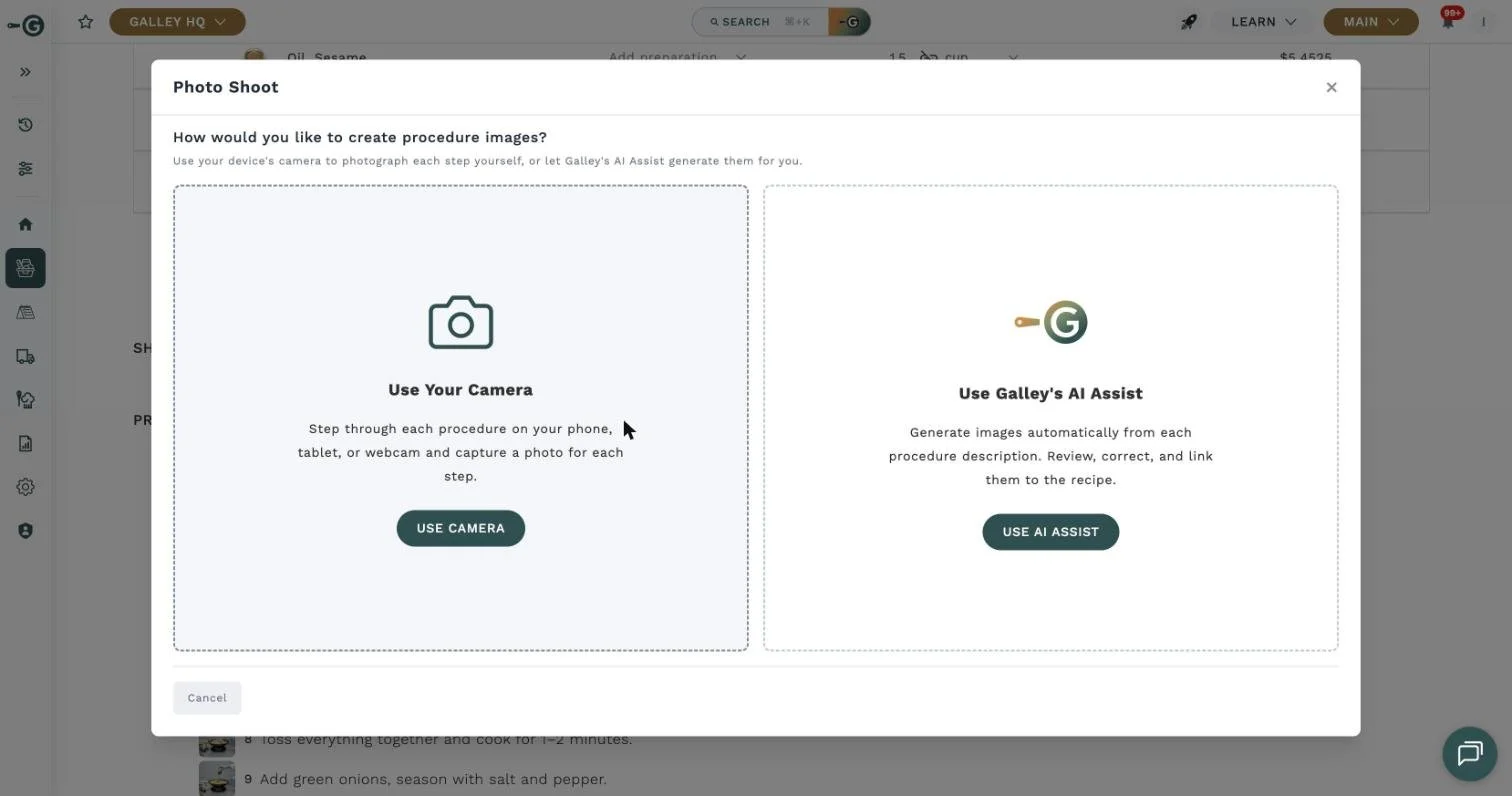
Photo Shoot, a Galley Assist feature in Beta, generates images for recipe steps. Its first screen asks whether to use your camera or let Galley Assist generate the images.
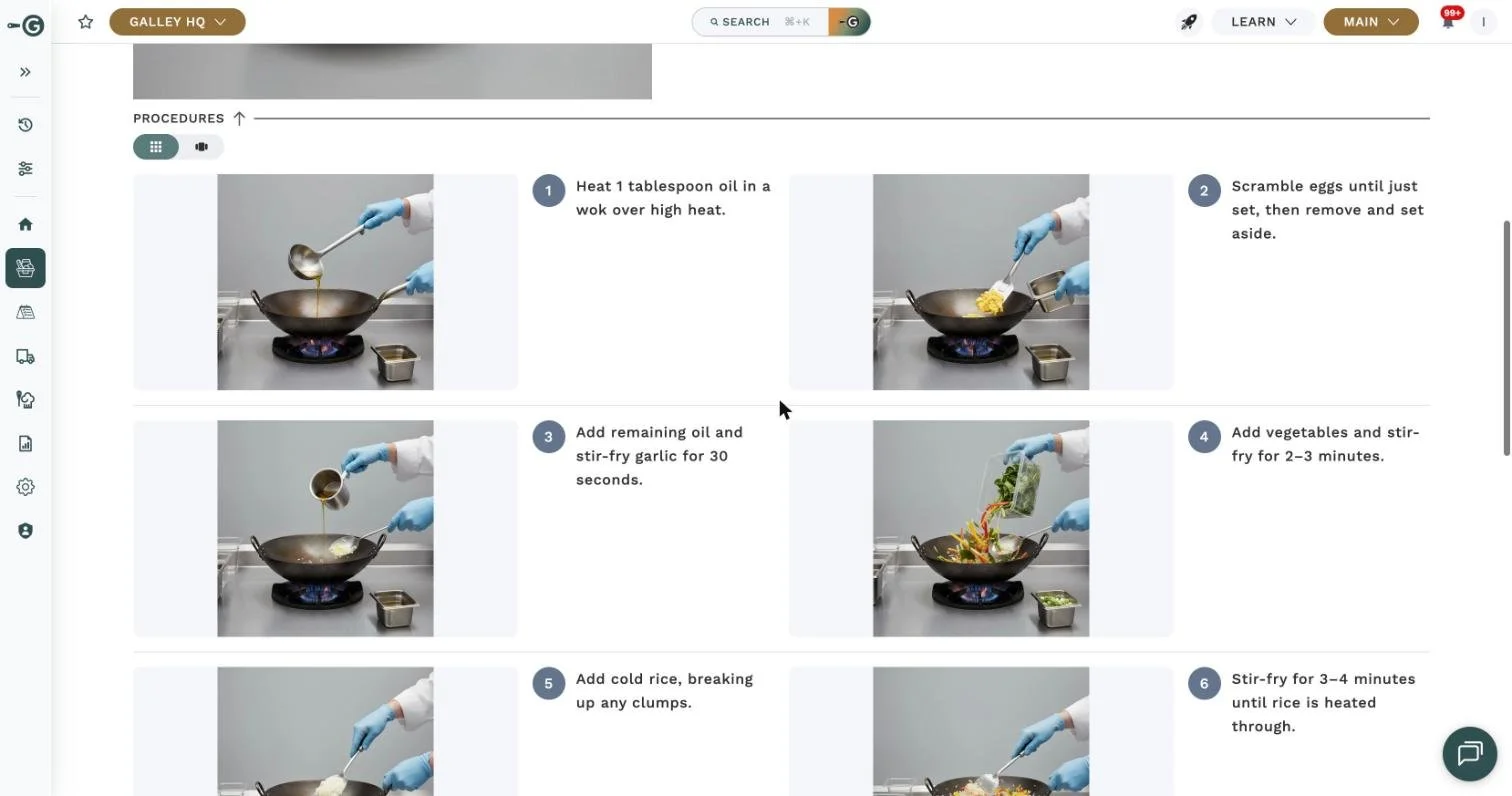
With Photo Shoot on, generated images sit beside each step in the recipe’s procedure.
Feedback From the Kitchen Helps Shape the Product
Feature Control gives teams a direct way to share feedback that shapes the product. The most useful notes are specific: they say what the team was trying to do, where the feature helped, and where it got in the way, in the kitchen's own terms. Sharing feedback doesn't guarantee that a particular change gets built, or set a date for one. It tells Galley what an operation needs, and it comes from the people who use the platform during service and production.
Settle Who Makes the Timing Call Before Changing Settings
Feature Control is in the Settings module. Before changing anything, agree inside the team who makes the timing call and how the rest of the kitchen hears about it. Settling both takes a few minutes, and the first new feature then arrives with a plan in place.
New features land better when the kitchen picks the moment for them. Open Settings to find Feature Control, or talk with your Customer Success lead about how your team wants to handle what's new.