Photo Shoot, now in Beta, generates images inside the recipe record, and each company decides whether it's on.
Galley Assist can now generate images for two parts of a recipe record: ingredients and individual procedure steps. The feature's formal name is Galley Assist Image Generation, and the team calls it Photo Shoot. It's in Beta, and it adds AI-generated recipe images to records that had no generated images before.
Two decisions follow from that. An operator decides whether Photo Shoot is on for the company. A chef or culinary lead then decides which steps and ingredients are worth an image.
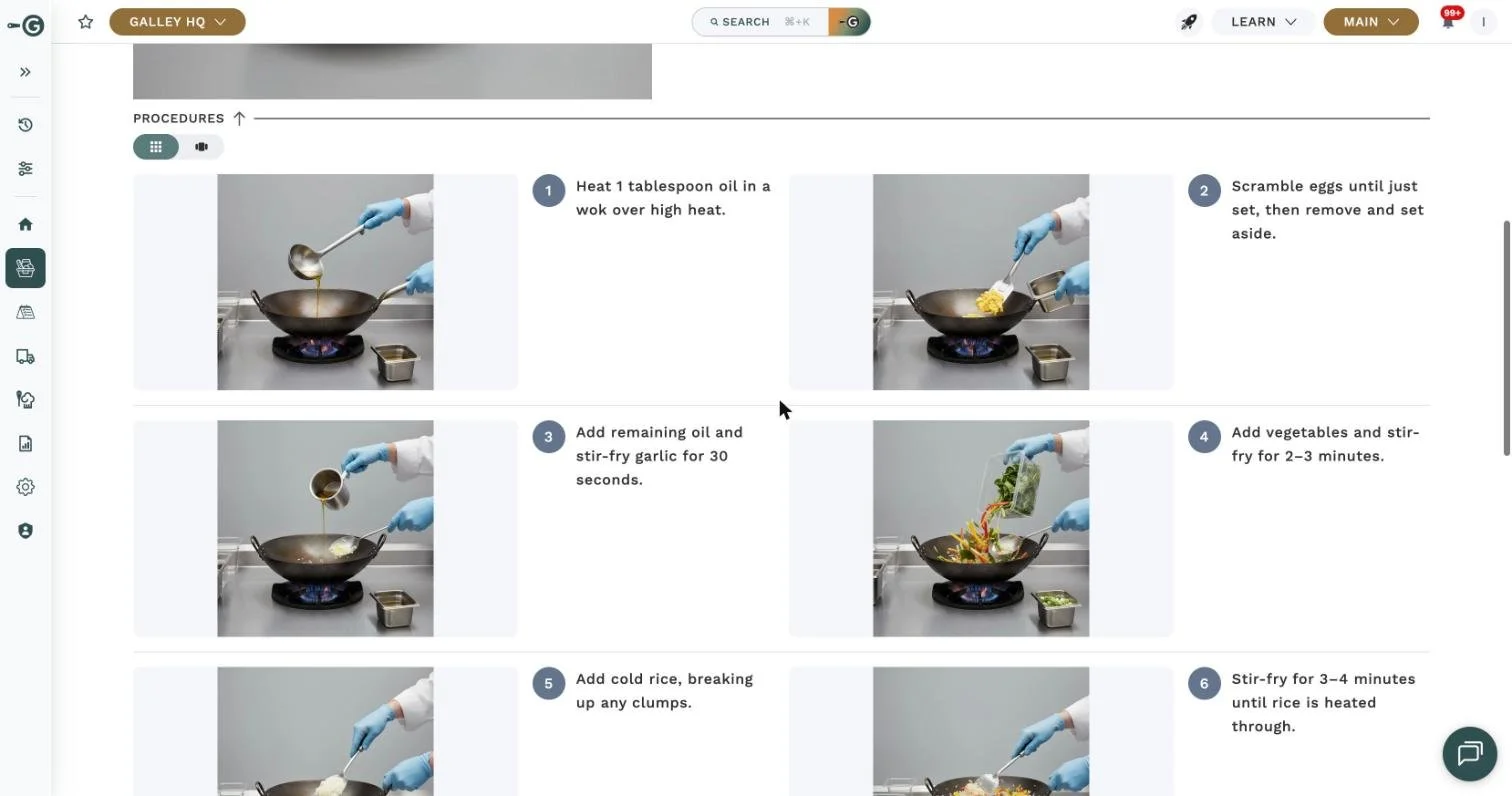
The procedure section of a Galley recipe, with a generated image beside each step.
AI-Generated Recipe Images Cover Ingredients and Procedure Steps
Images attach to individual steps, so a chef can put one on the step that needs it and leave the rest as text. Photo Shoot doesn't produce finished-dish, plated, menu, or online-ordering photos, and it isn't a source of marketing imagery. The images are generated by Galley Assist, so they're illustrations of an ingredient or a step and shouldn't be presented as photographs of a team's own food. Nothing else in the record changes: nutrient values, allergen data, and costing stay exactly as they were, so there's nothing here for a nutrition lead to review.
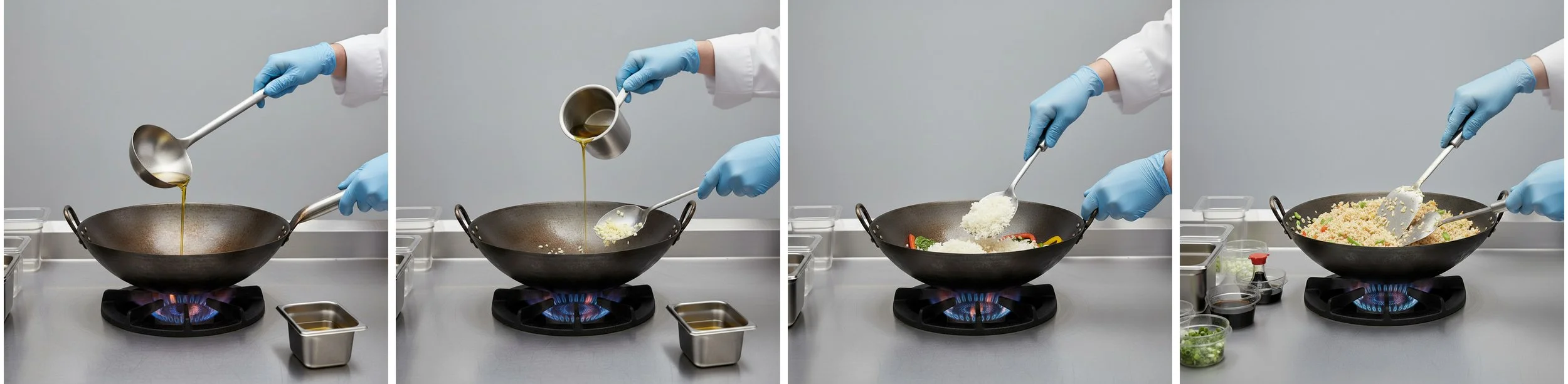
Four of the step images Photo Shoot generated for one vegetable fried rice recipe, in procedure order.
Each Company Decides in Settings Whether Photo Shoot Is Enabled
Photo Shoot is controlled per company, and the switch that turns it on or off sits in Settings. Because it's a Beta, it isn't on for every Galley customer, and no one should assume it's already on for their account. Some culinary teams will want generated images in their recipes right away. Others already have their own photography or a house style for training material and may prefer to wait.
Start With the Step a Chef Demonstrates in Person
Most recipes have a step the written procedure doesn't quite carry. It might be how thick to slice, what "folded until just combined" looks like, or how a third pan gets layered. Those are the steps a chef ends up showing in person, usually more than once.
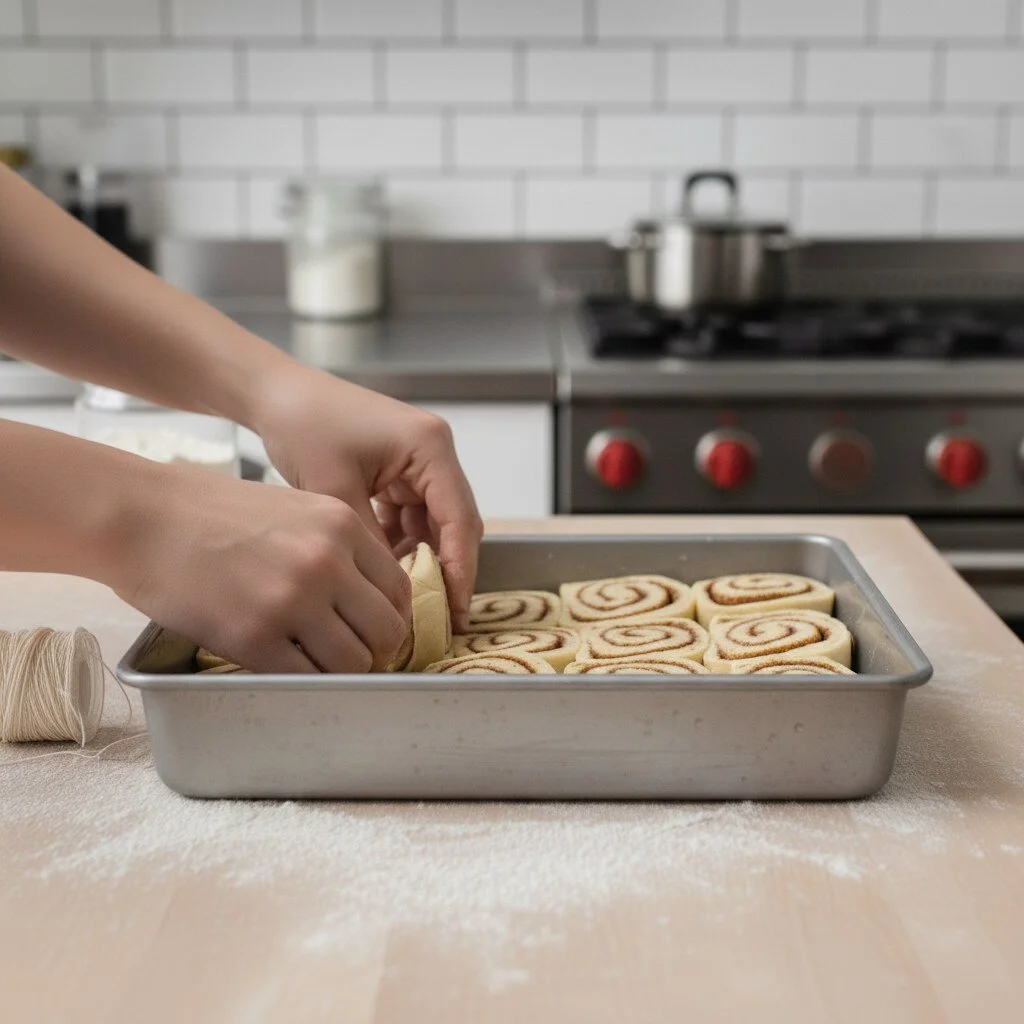
A generated step image from a cinnamon roll recipe: setting the cut rolls into the pan.
That step is the sensible first candidate, because with an image attached, the recipe a cook follows shows the step as well as describing it. Ingredients work the same way, and the first candidates are the items a new cook is most likely to ask about. The chef's judgment still applies in both cases. A generated image is only useful if it shows the step the way that kitchen does it, so each one is worth checking before the line relies on it.

Generated ingredient images: carrot, lemon, green onion, parsley, cheddar and chicken breast.
AI Is Most Useful Where the Recipe Already Lives
Galley Assist is an AI-powered layer within Culinary Resource Planning, built on Agentic Integrations. For Photo Shoot, that means the image is generated in the Recipes module and stays with the ingredient or step it was made for. That suits kitchens that already train from their recipes, because the visual sits in the same record as the method. Nobody has to export a recipe to another tool, generate a picture there, and carry it back.
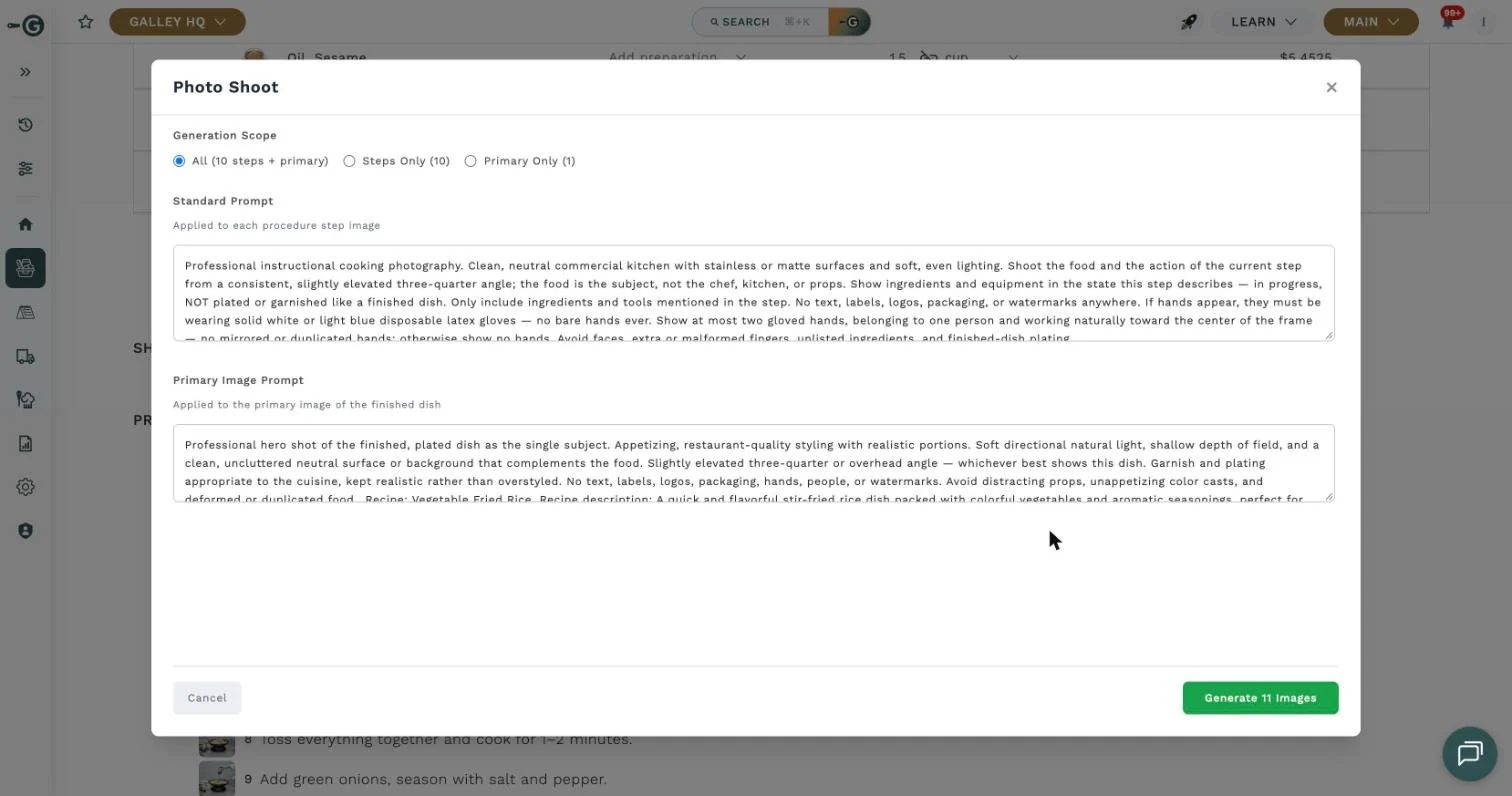
Photo Shoot opens from a recipe’s procedure. Pick what to generate (all images, steps only, or the main image), then adjust the prompts.
Our view is that this is where AI belongs in a kitchen's systems. An image made in a separate tool tends to end up in a shared folder, a group chat, or a binder, with no connection to the recipe it describes. When the procedure changes, nobody remembers that the picture needs to change with it. Keeping the work inside the record means the chef who owns the recipe also owns what the AI adds to it, so the tool supports the culinary team's judgment.
Photo Shoot puts generated images in the one place the recipe lives, and that's the reason to look at it this early. A Beta is a reasonable stage to try the feature on a handful of recipes and see where an image helps. If you build recipes in Galley, ask your Customer Success lead whether the Beta is on for your company.