

Advanced Menus
Plan once. Execute everywhere. Control complexity without slowing teams down.
Advanced Menus is Galley’s most powerful planning experience—built for operators managing multiple events, days, stations, and locations. Whether you’re running a campus dining program, catering operation, or multi-site foodservice organization, Advanced Menus gives you the structure to plan ahead and the flexibility to adapt in real time.
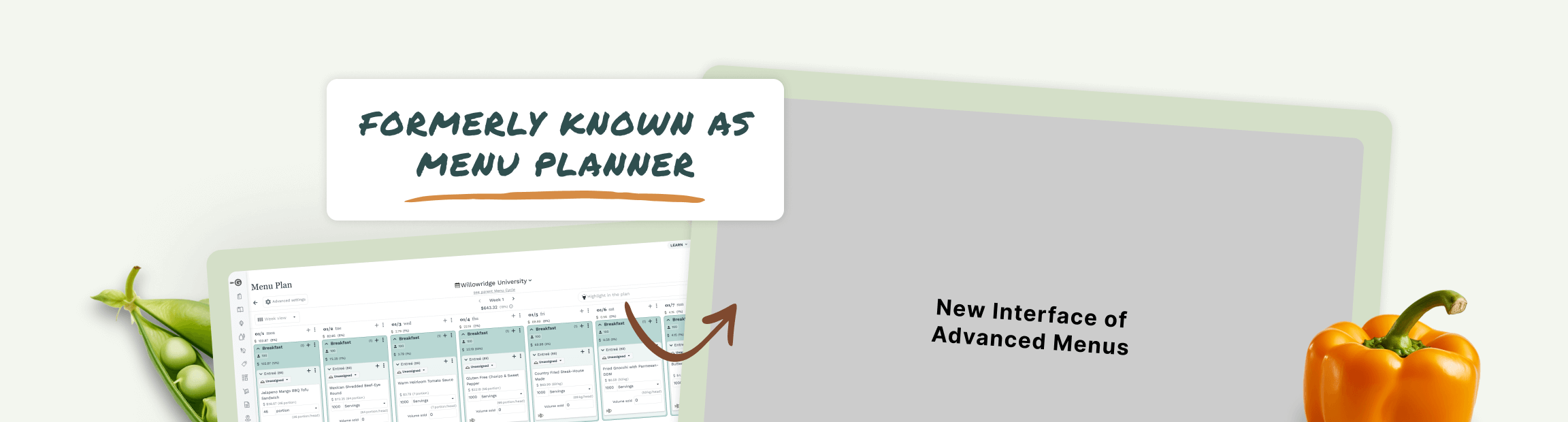
The Problem Advanced Menus Solves
Basic menus work well when:
You’re planning a single menu for a single day
Complexity is low
Variability is minimal
But as soon as you’re managing:
Multiple events across days or weeks
Recurring service (daily breakfast, weekly cycles, rotating menus)
Headcounts, stations, and dietary constraints
Budgets, approvals, and execution workflows
…spreadsheets break down, and basic menus start to feel limiting.

Advanced Menus is built for real-world foodservice complexity—without adding friction for your team.
What Is Advanced Menus?
Advanced Menus lets you plan, organize, and control multiple events across multiple days from a single, structured view—while staying fully connected to recipes, costs, inventory, reporting, and production.
Instead of planning menus one at a time, you plan systems:


All with built-in guardrails for cost, compliance, and consistency.
Basic Menus vs. Advanced Menus
Capability
Menu naming & notes
Locations & concepts
Headcount & absolute volume
Recipes, builds, sub-recipes
Food cost, pricing & margins
Menu naming & notes
Cost analysis & exports
Events
Multi-day planning
Single & recurring events
Serving stations & item groups
Collections & optionality
Constraints (dietary, categories)
Daily & weekly views
Budget tracking (planned vs actual)
Menu cycles across locations
Publishing schedules
Advanced reports & workflows

Basic Menus


(grouping only)
Basic Menus help you execute.
Advanced Menus
(full event planning)
Advanced Menus help you operate at scale.
How Advanced Menus Works

Plan Events with Intention
Create Events with custom names, dates, headcounts, and details—whether it’s a one-time wedding or a recurring weekday breakfast.
Add:
Recipes
Ingredients
Collections (groups of items served together)
Everything lives in one place, tied directly to production and costing.

Single or recurring events
Daily and weekly views for clarity and balance
Copy, cut, and paste to move items across days instantly
Build Smart Menu Plans
Organize multiple Events into a Menu Plan that spans days or weeks.
Use:
Plan once, adjust as needed.

Item Groups & Serving Stations Organize items logically and mirror how food is actually served.
Collections with Optionality Define consistent structures (like a salad bar) while allowing ingredient variation.
Categories & Constraints Enforce dietary flags, category rules, or exclusions to maintain standards and compliance.
Add Structure Without Rigidity
Advanced Menus gives you guardrails—not restrictions.

Control Costs and Budgets in Real Time
Set a budget at the Menu Plan level and instantly see:
Expected vs actual cost
Which events or items are driving overruns
Where adjustments will have the biggest impact
No spreadsheets. No guesswork.

Define cycle length (e.g. 4-week, 6-week)
Apply all planning, budgeting, and constraint logic
Publish cycles to locations with a start date
Turn Plans into Cycles
Create Menu Cycles to represent recurring plans across one or more locations.
This is how teams maintain consistency at scale—without re-planning every week.

Publish cycles to locations
Generate templated outputs (labels, reports, prep docs)
Trigger advanced workflows directly from Events:
•Cycle counts
•Purchasing
•Production
Publish, Execute, and Flow Downstream
Once approved, Advanced Menus connects planning to execution:
Planning doesn’t stop at planning—it drives action.
See Everything in One Place
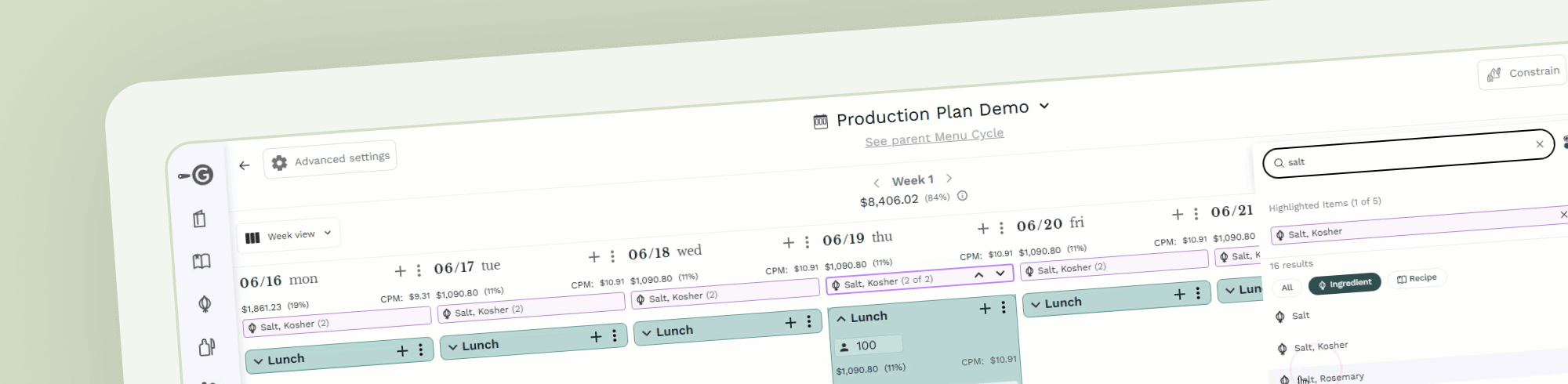
Catalog View
Browse all Menu Cycles, Menu Plans, and Events across locations.
Filter by:
Location
Date
Category
Status
Perfect for regional operators and central teams.
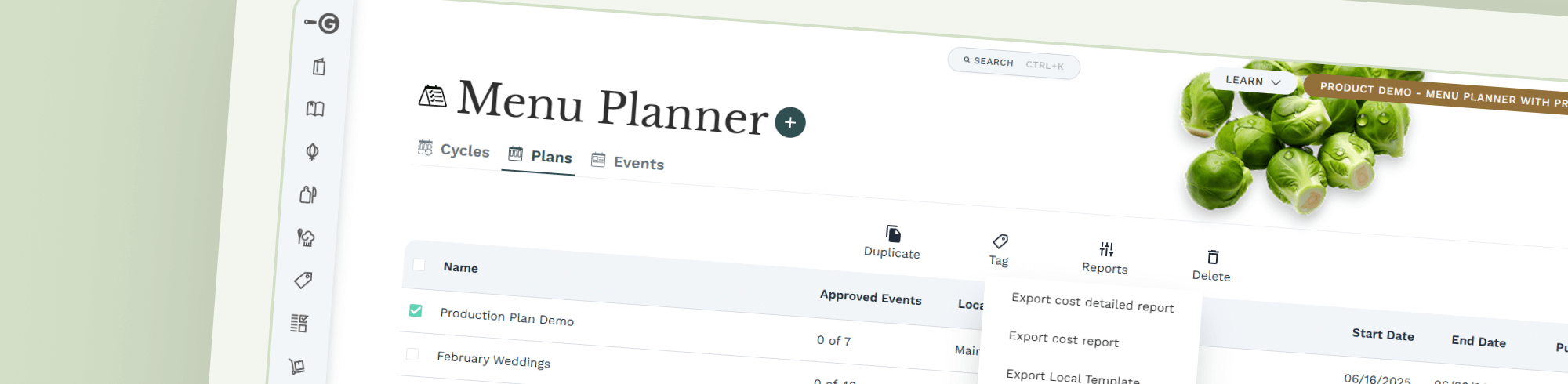
Reporting & Outputs
Export standard reports to:
PDF
XLS
CSV
Or request custom reports tailored to your operation—pulling data from Events, Plans, or Cycles.
All exports respect your organization’s exact formatting and documentation needs.

Who Advanced Menus Is Built For
Multi-site foodservice operators
Campus & university dining
Catering & events teams
Healthcare & senior living
Community foodservice programs
If your menus repeat, rotate, scale, or vary by location—Advanced Menus was built for you.
From Planning to Production—Without the Chao
Advanced Menus replaces disconnected spreadsheets, manual rework, and reactive planning with a system that reflects how foodservice actually operates.
More structure. More clarity. Less friction.